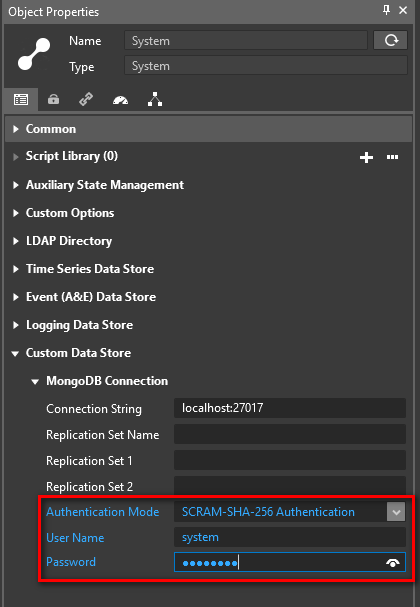
MongoDB Connection Settings
The MongoDB integration will setup separate data stores for different data types and logs. These are:
-
Time Series Data Store
-
Event (A&E) Data Store
-
Logging Data Store
-
Production Tracking Data Store
-
Custom Data Store
-
File Store
-
Audit Trail Data Store
-
Big Table Data Store
The configuration for each Data Store is set in the System Object’s properties panel
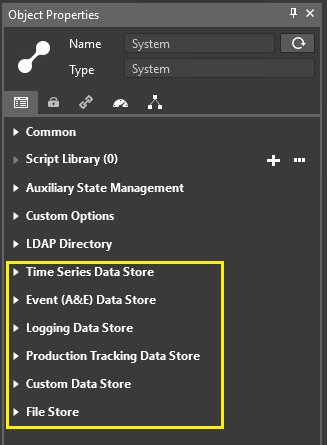
Each Data Store can have separate Latency and Buffer configurations and the MongoDB connection settings can also be configured differently with different Authentication modes and Usernames and Passwords. Replication Sets can also be configured.
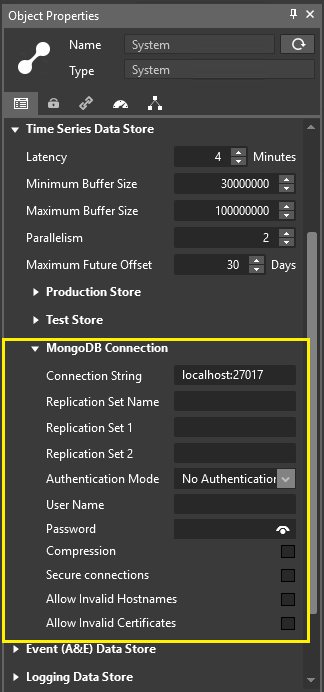
During setup, the MongoDB connection settings regarding authentication mode, user name and password can be set globally in Advanced settings and then changed later. See the installation guide for more details.
TLS Encryption for Connections to MongoDB
If the MongoDB server is configured to use a SSL certificate, and this certificate is trusted by the machine hosting the the inmation system (by importing it into Windows Certificate Store), TLS encrypted connections to MongoDB can be configured by setting the checkbox for the MongoDB Connection > Secure connections property. For incoming connection requests, the MongoDB Server needs to be configured to accept client TLS connections which don’t present a certificate to the server.